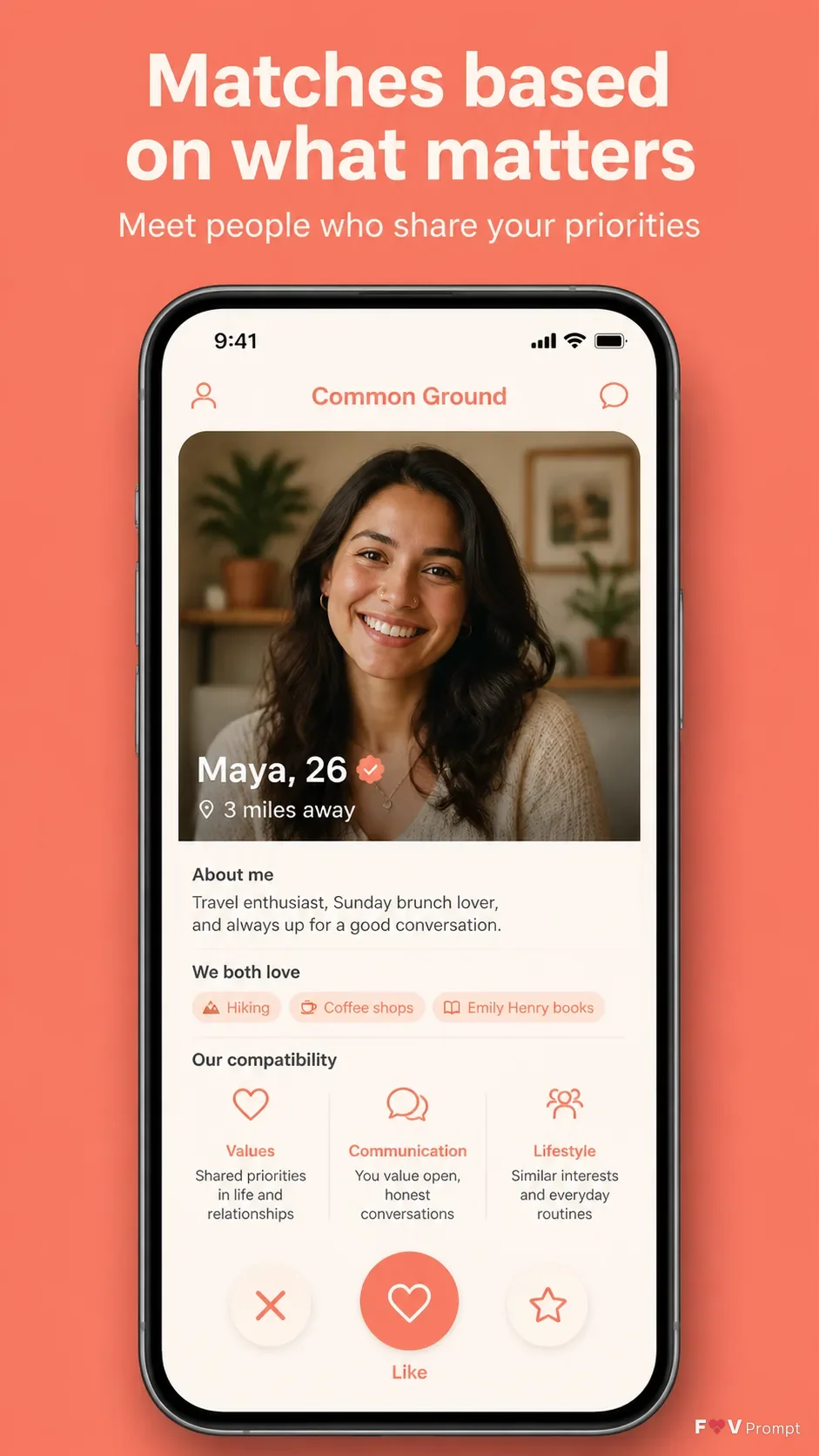
Design one professionally made App Store screenshot in a vertical 9:16 format. Place the Headline at the top in large, bold, clean sans serif type, rendered exactly as written and kept to one or two lines. Add the Subline beneath it in smaller, highly legible type. Use the Brand Color for a solid background or a soft two-tone gradient, with comfortable margins around every element.

Below the text, place a generic modern smartphone with thin bezels, no brand logos, and a soft realistic shadow. Keep the phone Device Angle, showing the Screen Content as a believable dating app profile card with clean UI components, sensible details, and a 9:41 status bar. Use App Screenshots exactly as provided when available, without redrawing them. Use App Icon exactly as provided when available; otherwise create the described generic icon. Keep the screen sharp and readable, with no floating elements unless they are clean crops of the same interface. Avoid star ratings, reviews, download counts, store badges, watermarks, glow, sparkles, lens flares, glassmorphism, busy backgrounds, and misspelled or nonsensical text.

Use these details:
App Name: "Common Ground"
Headline: "Matches based on what matters"
Subline: "Meet people who share your priorities"
Brand Color: "coral with warm cream accents"
Screen Content: "A dating profile card for Maya, showing a friendly portrait, shared interests, three compatibility highlights, and a clear Like button"
Device Angle: "front-facing and straight"
App Screenshots: "A custom dating profile card screenshot, if provided"
App Icon: "A simple heart-shaped app icon in the brand color, if provided"
Using your own logo, product or face? Attach it in the chat and say which of the details it replaces.
Your result will come out close to the example rather than identical to it. Change the details to make it yours.