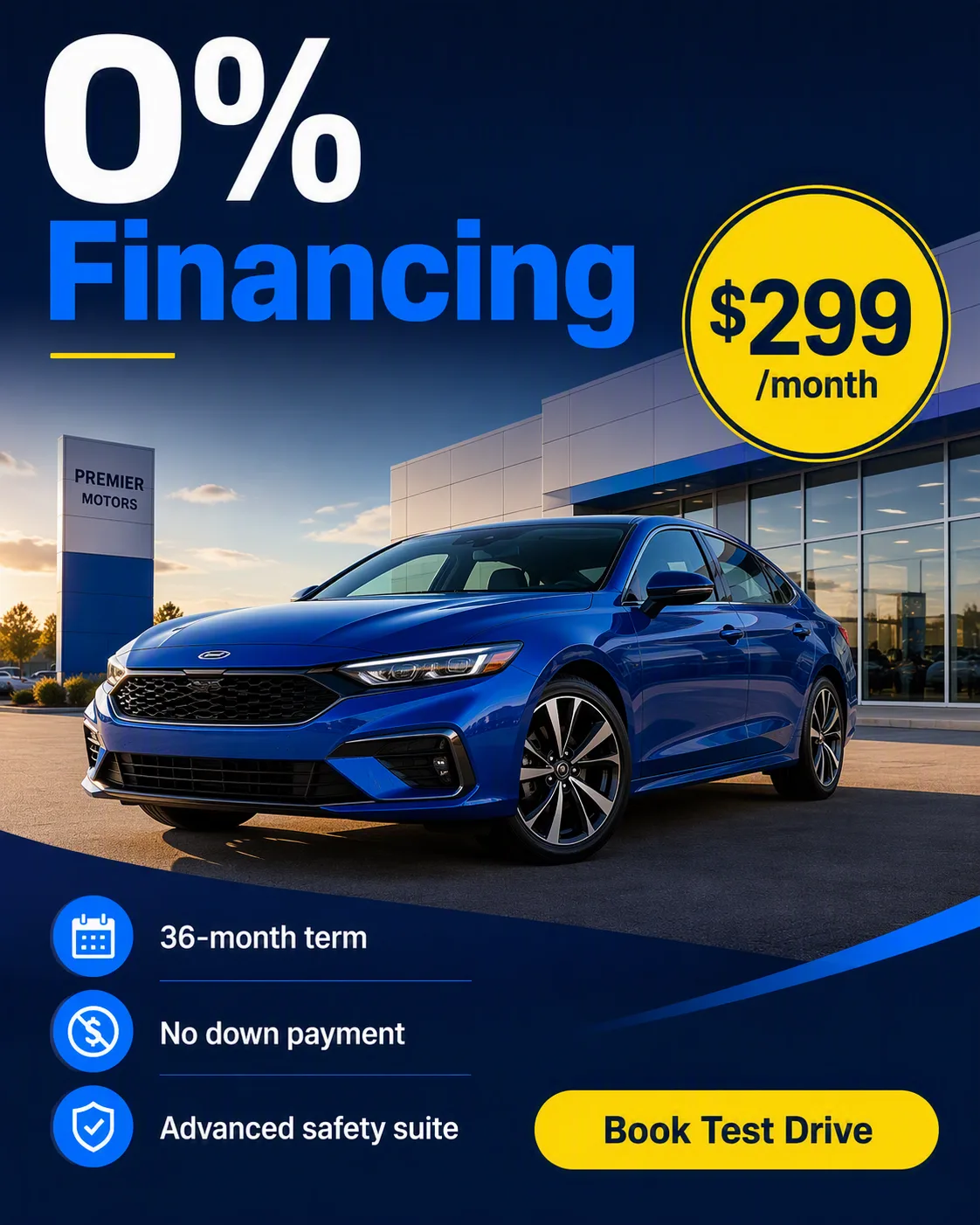
Lead with a clean exterior photo of the Car in the Photo Setting, framed from a low three-quarter front angle so the body lines, grille and wheels are clearly visible. Use natural late-afternoon light with controlled reflections on the paint and enough clear space around the vehicle for the advertising layout.

Build a bold dealership ad around the image in the Format. Use the Color Palette across the background, typography, price badge and accent shapes. Place the Headline prominently near the top in large, highly legible sans-serif type. Add the Price Badge in a contrasting circular or rounded badge near the car without covering important details. Arrange the Feature Callouts in a tidy vertical group with simple icons or dividers. Finish with a high-contrast rounded CTA button labeled exactly "CTA Button" near the bottom.

Keep the composition spacious and mobile-readable, with a clear visual hierarchy from the Headline to the offer, vehicle, benefits and CTA. Render all supplied text exactly as written, with no extra slogans, distorted lettering or illegible small print. Photorealistic car photography combined with crisp commercial advertising design.

Use these details:
Car: "2025 electric blue midsize sedan"
Headline: "0% Financing"
Price Badge: "$299/month"
Feature Callouts: ["36-month term", "No down payment", "Advanced safety suite"]
CTA Button: "Book Test Drive"
Photo Setting: "Modern dealership forecourt at late afternoon"
Color Palette: "deep navy, white, electric blue and bright yellow"
Format: "1200 x 1500 Facebook ad"
Using your own logo, product or face? Attach it in the chat and say which of the details it replaces.
Your result will come out close to the example rather than identical to it. Change the details to make it yours.