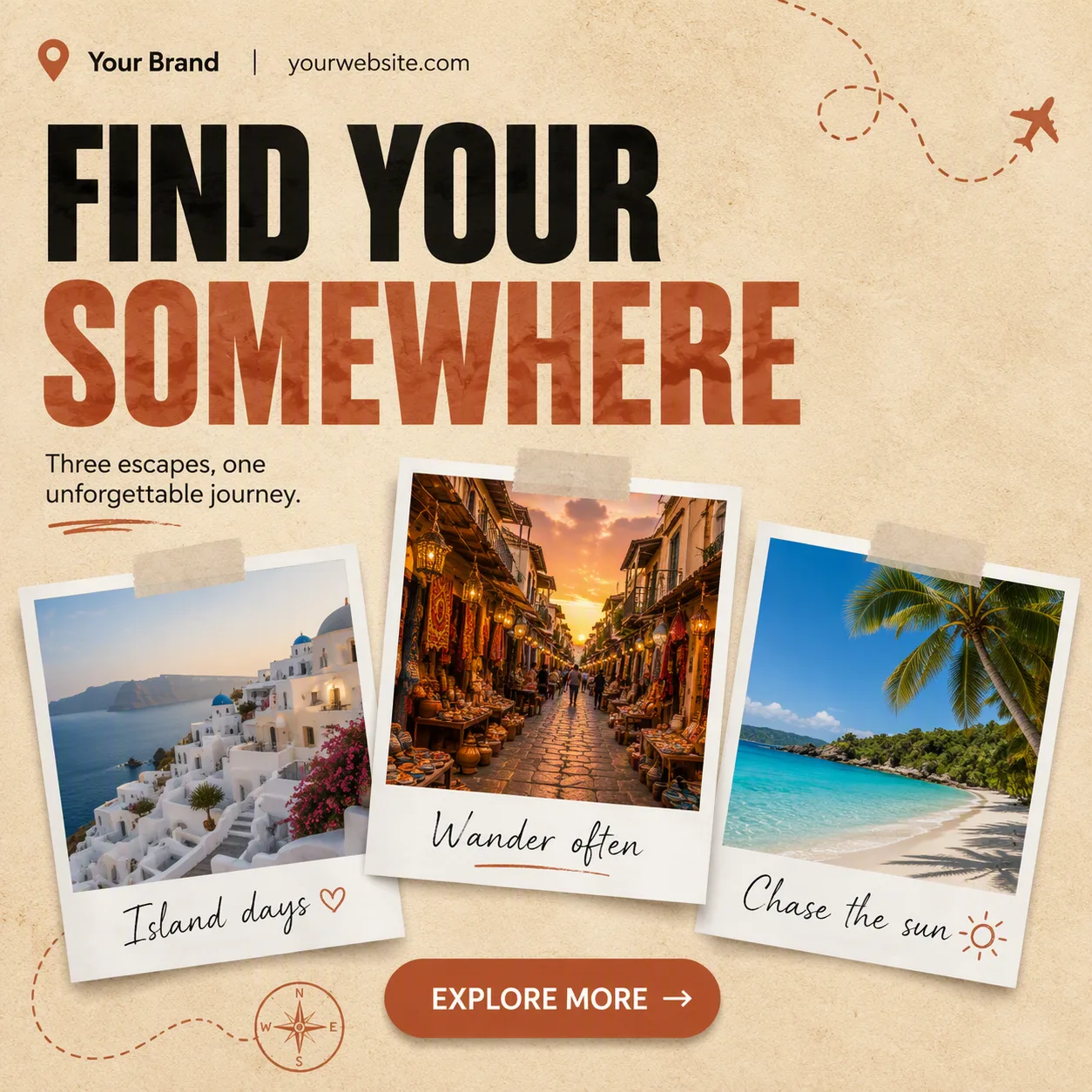
Arrange one square 1:1 social media post as a polished travel agency template on the Background Texture, using the Color Palette with two main colors, white or black, and one accent tone. Build a clear grid with generous margins and three slightly tilted polaroid frames arranged as a balanced collage. Place one item from Photo Inside The Frame inside each frame, showing a naturally lit destination scene with realistic detail and clean white photo borders. Add the matching item from Handwritten Captions beneath each photo in a relaxed handwritten style.

Make the Headline the dominant element in a heavy display or clean geometric sans-serif, limited to two to four words. Place the Short Supporting Line in smaller grouped type. Put the Brand Name and Website Or Handle along the top or bottom edge. Add one pill-shaped CTA button labeled exactly with the Call-To-Action Button Text. Keep all text correctly spelled and legible at phone size, using no more than two typefaces. Add only subtle travel-inspired dots, curves or tape-like details. Show one flat, full-frame post with no device mockup, border, watermark, real logo or extra post.

Use these details:
Headline: "Find Your Somewhere"
Short Supporting Line: "Three escapes, one unforgettable journey."
Brand Name: "Your Brand"
Website Or Handle: "yourwebsite.com"
Call-To-Action Button Text: "Explore More"
Photo Inside The Frame: ["Whitewashed village overlooking the sea", "Colorful market street at golden hour", "Tropical beach with clear blue water"]
Handwritten Captions: ["Island days", "Wander often", "Chase the sun"]
Background Texture: "Warm sand-colored paper with subtle natural grain"
Color Palette: "Sand and terracotta with black and white"
Using your own logo, product or face? Attach it in the chat and say which of the details it replaces.
Your result will come out close to the example rather than identical to it. Change the details to make it yours.