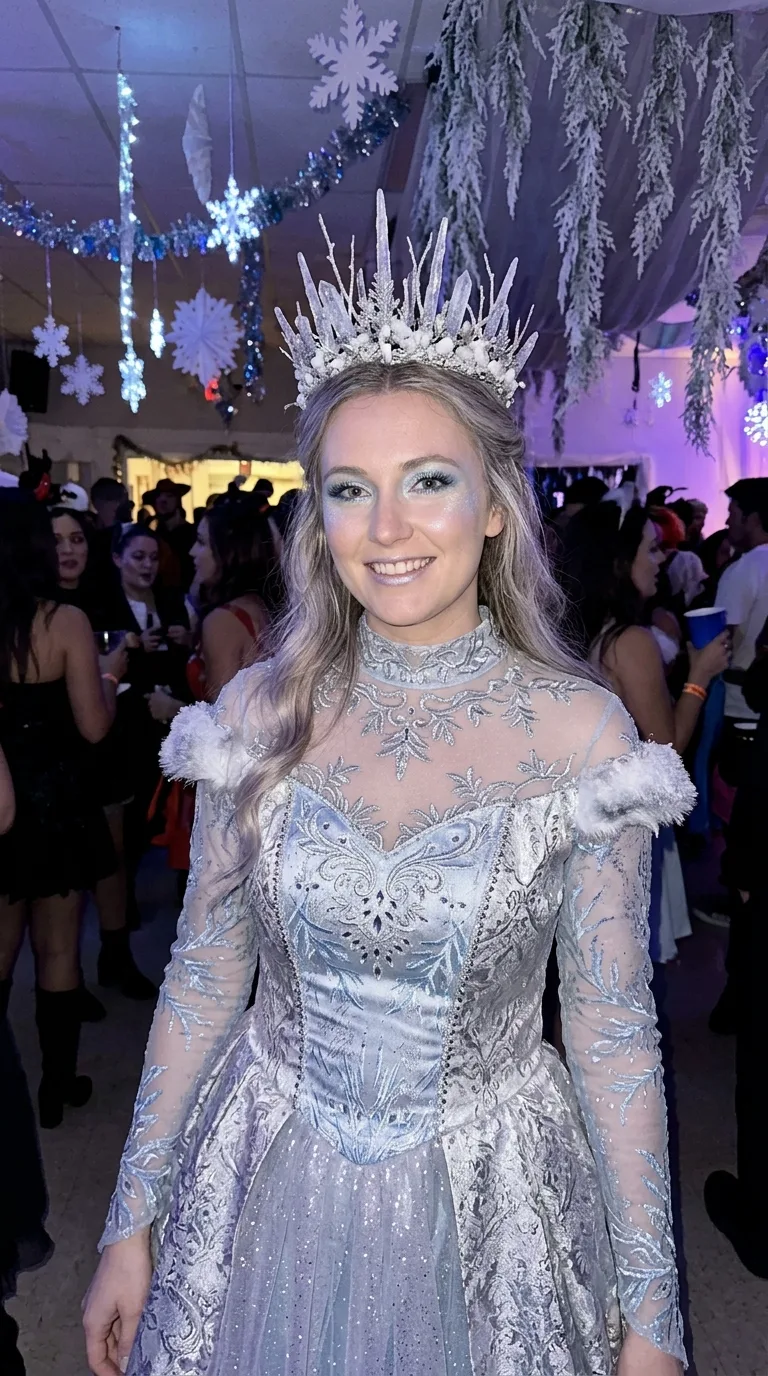
Show the Face Source as an adult woman dressed as a generic ice queen at a real Halloween event, wearing the Costume with the Makeup and Hair Styling. Place her in the Setting under the Lighting, using the Color Palette throughout the gown, crown, makeup and surrounding atmosphere. Follow the Shot Type with a natural, relaxed pose and a genuine phone-camera perspective. Preserve the person's exact identity, face, skin tone, body type and facial features when a face source is available; otherwise depict a woman in her mid-20s to early 30s with clearly adult features. Keep the face recognizable despite the makeup. Capture natural skin texture, realistic silver fabric, believable crown details and soft background blur. Make the costume fully covering, well made and non-sexual. The image must look like an authentic event photo, not a studio render or illustration, with no gore, text, logos, watermarks or interface elements.

Use these details:
Face Source: "The user's own face, preserving identity and recognizable facial features"
Costume: "A complete ice queen Halloween costume with a structured silver gown, frosted crown, subtle crystal accents and elegant winter accessories"
Makeup: "Cool-toned makeup with icy blue eyeshadow, silver shimmer, softly frosted cheeks and recognizable natural facial features"
Hair Styling: "Long, softly waved hair swept back beneath the frosted crown with a few loose strands framing the face"
Setting: "A lively indoor Halloween party with snowy decorations and a softly blurred dance floor"
Lighting: "Snowy blue party lights mixed with gentle phone flash and realistic ambient event lighting"
Shot Type: "A waist-up posed photo taken by a friend in vertical 4:5 framing"
Color Palette: "Silver, icy blue, white and cool lavender"
Using your own logo, product or face? Attach it in the chat and say which of the details it replaces.
Your result will come out close to the example rather than identical to it. Change the details to make it yours.