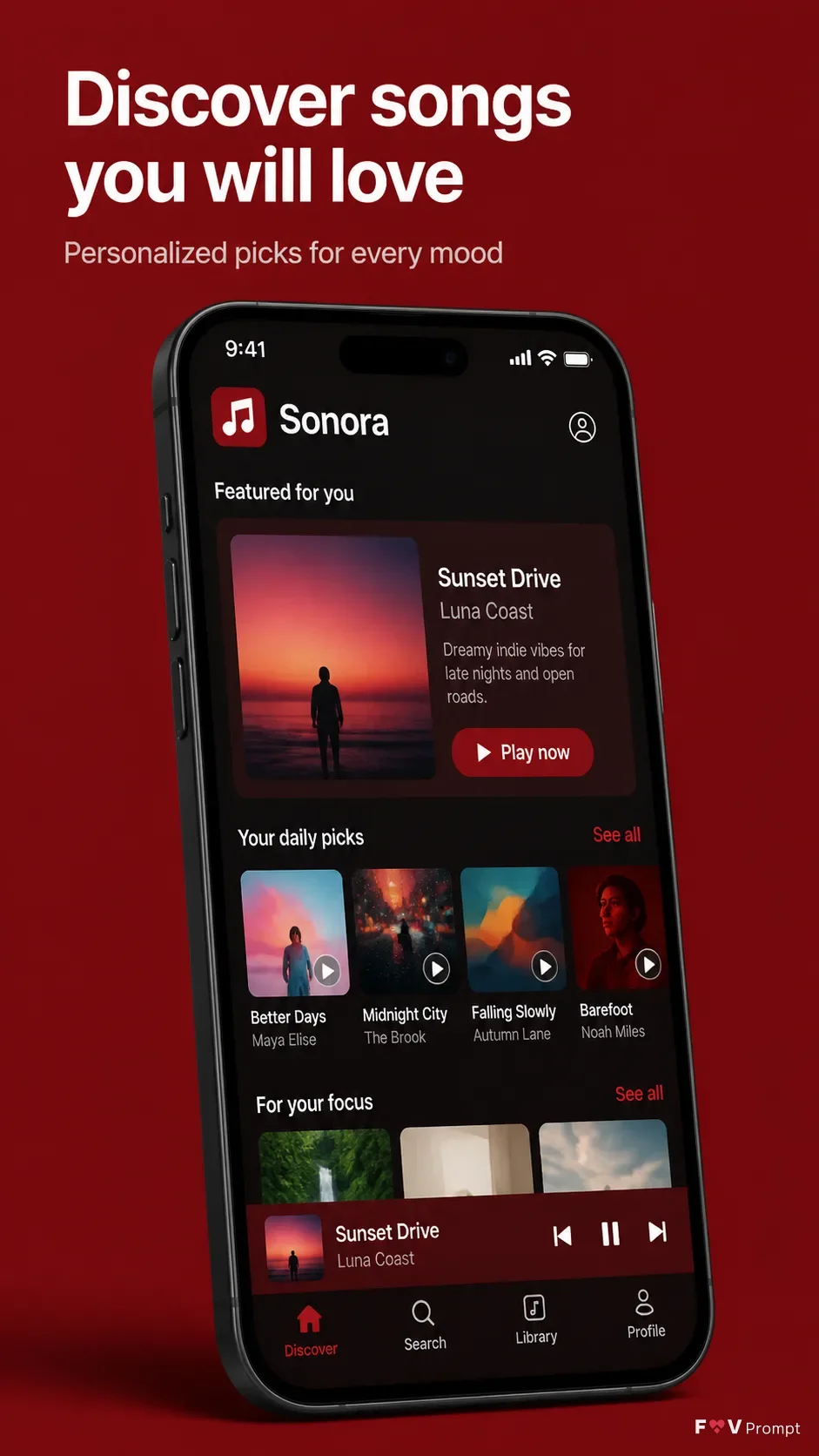
Design a professionally made App Store screenshot for the App Name app in the Format. Place the Headline at the top in large, bold, clean sans serif type, exactly as written, with correct spelling and no more than two lines. Put the Subline beneath it in smaller, highly legible type. Use a solid or subtly graduated background in the Brand Color, with generous margins and no elements touching the edges.

Below the copy, show a generic modern smartphone with thin bezels, no brand logos, and a soft realistic shadow. Position it at the Device Angle while keeping the screen clearly readable. Place the App Screenshots inside the phone screen as the visual source for the interface, using the Screen Content to establish a believable music discovery feed with clean cards, album artwork, sensible song titles, artist names, playback controls, and a 9:41 status bar. Use the App Icon naturally in the app interface. Keep the UI consistent with the Brand Color, with crisp typography and carefully aligned components.

Render one screenshot only. Avoid star ratings, reviews, award laurels, download counts, store badges, watermarks, Apple or Google logos, gibberish text, glow, sparkles, lens flares, glassmorphism, and busy background elements.

Use these details:
App Name: "Sonora"
Headline: "Discover songs you will love"
Subline: "Personalized picks for every mood"
Brand Color: "deep red"
Screen Content: "A personalized music discovery feed with album artwork, song titles, artist names, a featured recommendation, and a horizontal list of daily picks"
Device Angle: "slightly tilted three-quarter angle"
App Screenshots: "A discovery feed screen matching the described music app UI"
App Icon: "A simple white musical note on a deep red square"
Format: "vertical 9:16"
Using your own logo, product or face? Attach it in the chat and say which of the details it replaces.
Your result will come out close to the example rather than identical to it. Change the details to make it yours.