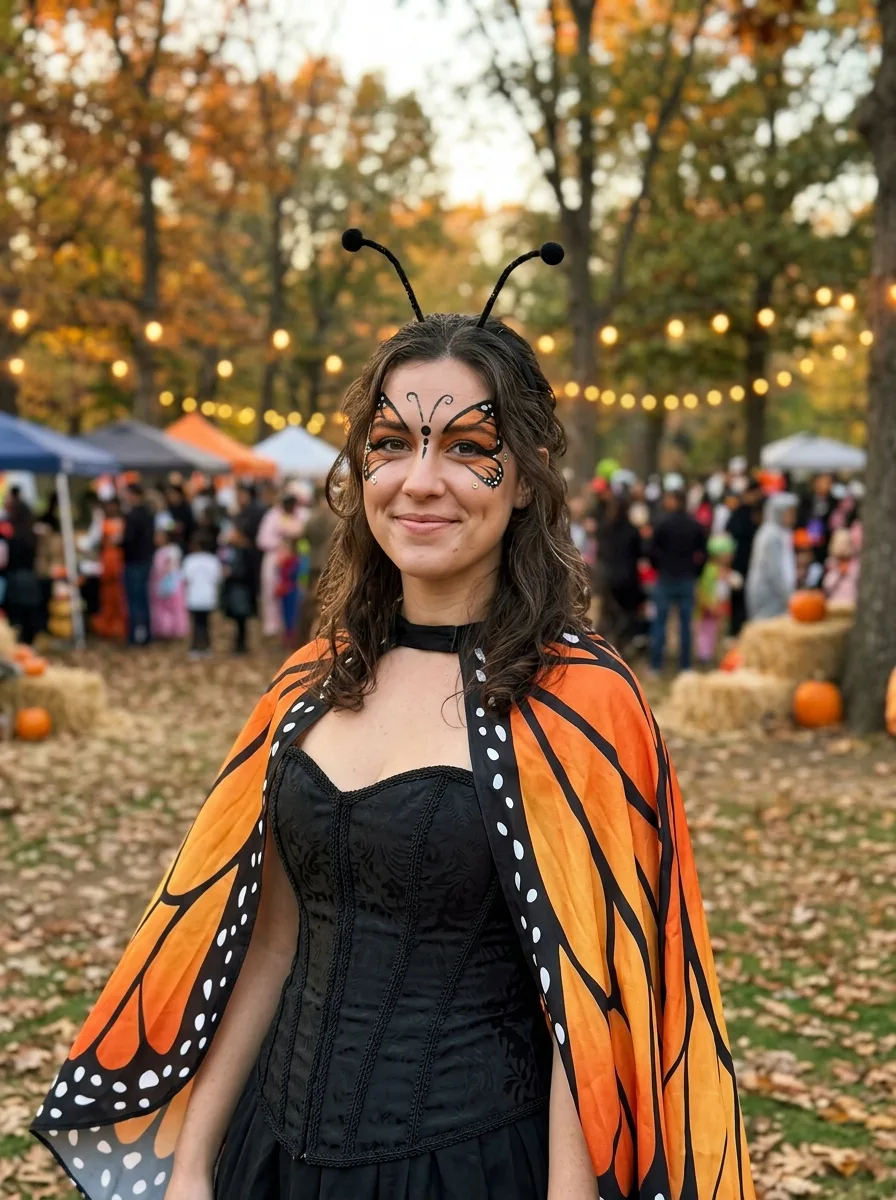
Show a woman wearing the Costume at a real Halloween event in the Setting. Use the Face Reference to keep her exact face, identity, skin tone, body type and facial features unchanged when a photo is provided; if no photo is provided, depict a clearly adult woman in her mid-20s to early 30s. Apply the Makeup while keeping her recognizable, and style her hair according to the Hair Styling. Make the costume complete, well made and believable, with the wing cape, antennae and coordinated accessories clearly visible. Use the Color Palette throughout the outfit and scene. Light the scene according to the Lighting, with natural skin texture, realistic fabric, and the imperfect detail of a phone photo taken at an actual outdoor event. Frame it as the Shot Type with a relaxed, friendly pose and a fun, gently spooky mood. Keep the image photorealistic, with no gore, nudity, sheer fabric, sexual pose, text, logos, watermarks or interface elements.

Use these details:
Costume: "Monarch butterfly costume with a structured black bodice, orange wing cape with black veining and white spot details, and a delicate antenna headband"
Makeup: "Soft black-and-orange butterfly face paint around the eyes with small iridescent face gems on the cheekbones"
Hair Styling: "Loose, softly waved hair with a few strands framing the face"
Setting: "An autumn park with amber trees, fallen leaves, and a decorated Halloween gathering in the distance"
Lighting: "Warm late-afternoon sunlight mixed with subtle glowing string lights from the Halloween event"
Shot Type: "Waist-up portrait taken by a friend, vertical 4:5 composition"
Color Palette: "Monarch orange, black, cream, amber and muted autumn green"
Face Reference: "The user's attached photo, used only to preserve the face, identity, skin tone, body type and facial features"
Using your own logo, product or face? Attach it in the chat and say which of the details it replaces.
Your result will come out close to the example rather than identical to it. Change the details to make it yours.