Use the Face Reference for the person, preserving her exact face, identity, skin tone, body type and facial features. If no personal face is available, depict a clearly adult woman in her mid-20s to early 30s. Dress her in the Costume, with the Makeup and Hair Styling, for a fun Halloween party photo in the Setting. Capture her in the Shot Type with a relaxed, confident pose and a friendly expression, as if photographed by a friend on a phone at the event. Use the Lighting to create believable highlights and shadows across her face, uniform and accessories. Make the costume look complete, well made and generic rather than based on any real airline, celebrity or copyrighted character. Include convincing fabric texture, tailored seams, polished accessories and subtle airport-party details in the background. Keep her recognizable, with natural skin texture and realistic proportions. Photograph it as a candid real-world phone image, not a studio render or illustration. No text, captions, logos, watermarks or UI overlays.

Use these details:
Face Reference: "the user's own face"
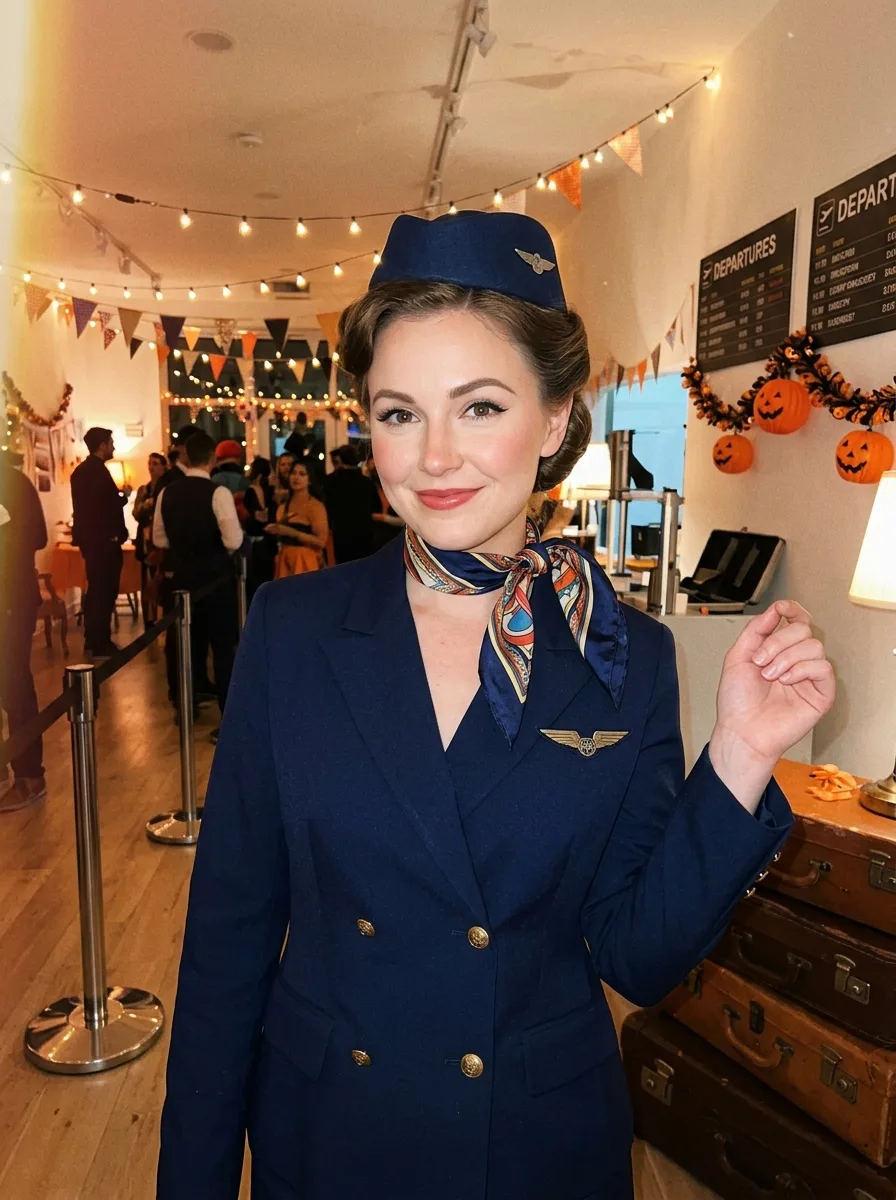
Costume: "a complete retro flight attendant uniform with a tailored jacket, knee-length skirt, scarf, polished pumps and pillbox hat"
Makeup: "classic winged eyeliner, softly defined brows, rosy blush and a red lip"
Hair Styling: "a neat mid-century updo tucked beneath the pillbox hat"
Setting: "an airport-themed Halloween party with vintage luggage, boarding counter details and warm decorative lights"
Lighting: "warm string lights mixed with occasional direct phone flash and soft ambient airport lighting"
Shot Type: "waist-up posed photo taken by a friend, vertical 4:5 framing"
Using your own logo, product or face? Attach it in the chat and say which of the details it replaces.
Your result will come out close to the example rather than identical to it. Change the details to make it yours.