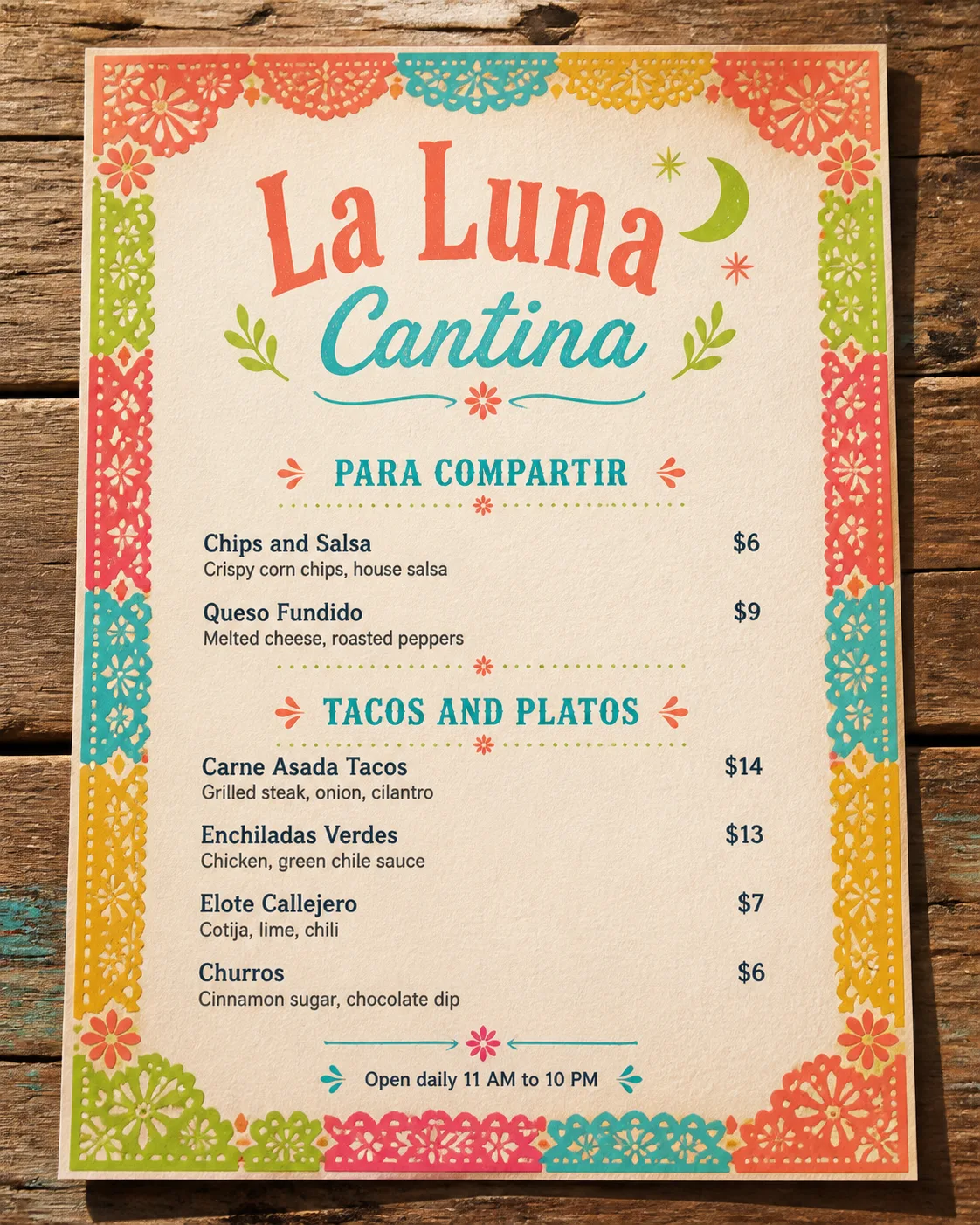
Lay out a Mexican cantina menu flat on the Table Setting in the Format, with believable paper texture and soft natural shadows from overhead lighting. Use the Color Palette throughout the menu and frame the page with the Decorative Border, keeping the border decorative but clear of all text.

Set the Venue Name as the largest element at the top. Organize the menu into the Section Headings, with the Item Names, corresponding Item Descriptions and Prices arranged in a clean, consistent grid. Keep the descriptions short, align every price neatly to the right, and use no more than two complementary typefaces. Add the Footer Line in small, legible type at the bottom.

Make the result look like a professionally designed printed menu with festive Mexican cantina character. Keep the text volume restrained, spell every word correctly, and ensure nothing overlaps, runs off the page or is hidden by the border. Include no logos, QR codes, watermarks or image border outside the menu itself.

Use these details:
Venue Name: "La Luna Cantina"
Section Headings: ["Para Compartir", "Tacos and Platos"]
Item Names: ["Chips and Salsa", "Queso Fundido", "Carne Asada Tacos", "Enchiladas Verdes", "Elote Callejero", "Churros"]
Item Descriptions: ["Crispy corn chips, house salsa", "Melted cheese, roasted peppers", "Grilled steak, onion, cilantro", "Chicken, green chile sauce", "Cotija, lime, chili", "Cinnamon sugar, chocolate dip"]
Prices: ["$6", "$9", "$14", "$13", "$7", "$6"]
Footer Line: "Open daily 11 AM to 10 PM"
Color Palette: "bright coral, turquoise, marigold yellow, lime green and warm cream"
Decorative Border: "bright multicolor papel picado cut-paper border"
Table Setting: "weathered rustic wooden table"
Format: "4:5 portrait flat-lay"
Using your own logo, product or face? Attach it in the chat and say which of the details it replaces.
Your result will come out close to the example rather than identical to it. Change the details to make it yours.